How to convert cURL commands to code locally on your Mac
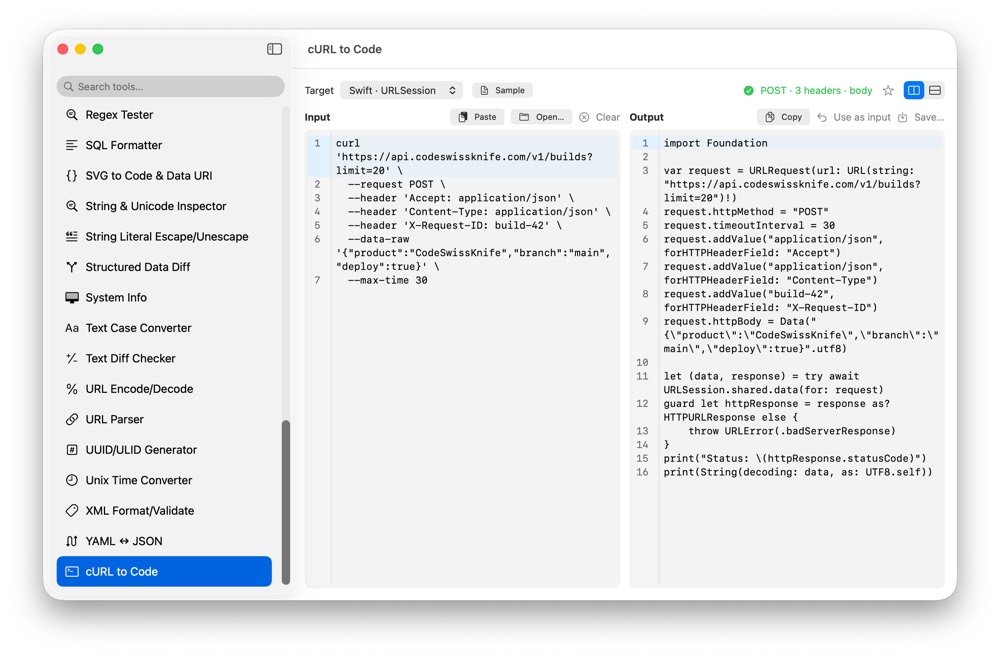
cURL commands copied from docs, browser tools or support tickets often contain headers, cookies, tokens and request bodies. CodeSwissKnife converts them into reusable code locally, without executing the command or sending the request anywhere.
Why convert cURL locally?
A cURL command can expose authorization headers, cookies, internal URLs, request bodies and service names. A local converter lets you turn that command into application code without handing the request to a web tool.
That is especially useful when a command comes from browser dev tools, API documentation, logs or a teammate debugging a private service.
Parse shell-style cURL commands
CodeSwissKnife uses a shell-aware lexer for cURL input, so quoted strings, escaped characters and common command-line structure are treated like a real terminal command, not simple text splitting.
The converter handles repeated headers, cookies, Basic Auth, JSON bodies, raw bodies, URL-encoded bodies, --get and timeout options. Unsupported or non-portable options are surfaced as visible warnings instead of being silently ignored.
Generate request code for the stack you use
Generate output for Swift URLSession, JavaScript Fetch, Python Requests, PHP cURL, Go net/http, Rust reqwest and .http request files.
That gives you a practical bridge from a copied request to code you can move into an app, script, test, client library or HTTP scratch file.
Convert without executing the request
cURL to Code never executes shell commands and never opens a network request. It parses the command and generates code locally, so conversion is separate from sending traffic.
The same request model is shared with CodeSwissKnife HTTP tooling, which keeps cURL import and export consistent without introducing a second parser.
Use cURL conversion beside HTTP Client
After converting a cURL command, you can keep working with the request shape in CodeSwissKnife. The HTTP Client uses the familiar .http format with separators, headers and variables, so generated request files stay editable.
For payloads inside a request, pair cURL to Code with JSON Format/Validate and HTML/CSS/JS/TS Formatter.
Use an offline cURL converter for macOS
Download CodeSwissKnife to convert cURL commands into reusable code locally alongside your HTTP, JSON and developer workflow tools.