How to format HTML, CSS, JavaScript and TypeScript locally on your Mac
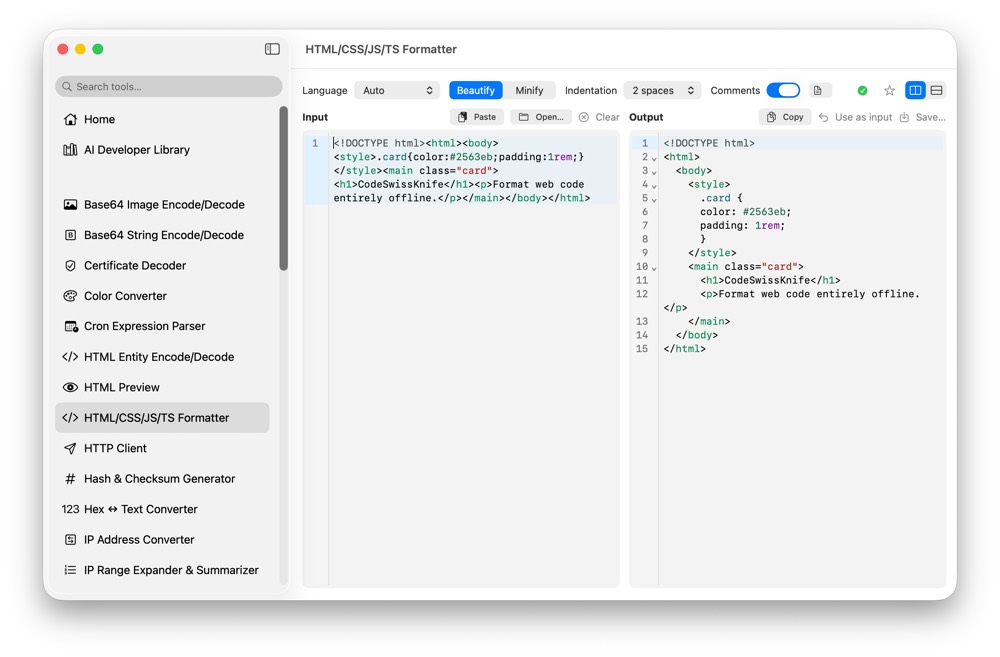
Frontend snippets often contain private component names, unpublished UI code, API paths or customer-facing copy. CodeSwissKnife gives you a native formatter for HTML, CSS, JavaScript and TypeScript, so you can beautify or minify code without pasting it into an online tool.
Why format frontend code locally?
HTML, CSS, JavaScript and TypeScript snippets can reveal internal routes, unreleased interfaces, feature flags and business logic. A local formatter keeps that code on your Mac while still making it readable.
That is useful when you copy code from a production page, review a minified bundle fragment, clean up a test fixture or inspect a component snippet outside the editor.
Beautify messy HTML, CSS, JavaScript and TypeScript
The formatter turns dense frontend code into readable indentation, spacing and structure. It helps you see nested HTML, CSS blocks, JavaScript functions and TypeScript declarations without opening a full project.
Use it for quick inspection, code review notes, support snippets and small transformations where launching an IDE is more friction than the task needs.
Minify snippets when compact output matters
Formatting is not always about expansion. When you need compact code for examples, fixtures, embedded snippets or generated output, minify mode gives you a smaller result from the same local workflow.
Keeping beautify and minify together makes it easy to move between inspection and delivery without switching tools.
Use one formatter for the frontend stack
The tool is built for the formats developers usually handle together: HTML, CSS, JavaScript and TypeScript. That keeps common web formatting tasks in one place instead of splitting them across separate sites.
CodeSwissKnife runs the transformation locally in the native macOS app, with the same paste, open, copy and save workflow used by the other formatters.
Pair frontend formatting with preview and conversion tools
After formatting HTML, you can use HTML Preview to inspect rendered output. For encoded markup, HTML Entity Encode/Decode helps clean escaped text before formatting.
For API payloads around frontend work, pair this formatter with JSON Format/Validate and JSONPath Playground.
Use an offline frontend code formatter for macOS
Download CodeSwissKnife to beautify and minify HTML, CSS, JavaScript and TypeScript locally alongside the rest of your developer tools.