How to format SQL locally on your Mac
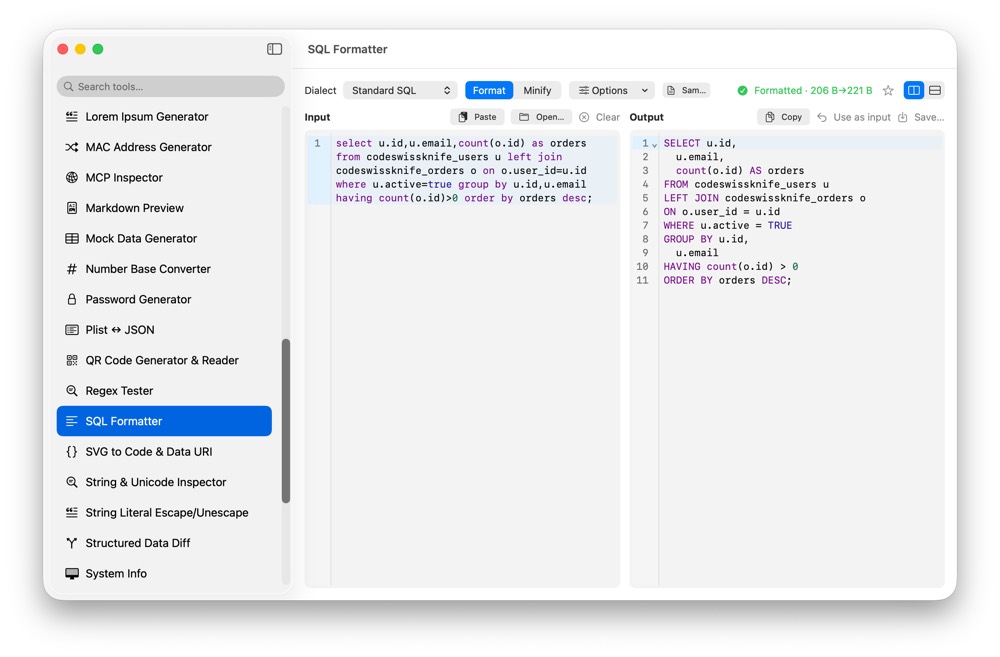
SQL copied from logs, dashboards, query builders or bug reports is often hard to read and sometimes sensitive. CodeSwissKnife gives you a native SQL formatter for macOS, with format and minify modes, dialect presets and local processing.
Why format SQL locally?
SQL can contain table names, customer ids, internal schemas, vendor data and business logic. A local formatter keeps those queries on your Mac while still turning dense SQL into something you can review.
That matters when debugging production issues, cleaning up generated queries or preparing a snippet for a teammate without sending it through an online formatter.
Format or minify SQL from the same tool
Use format mode when you need readable indentation, line breaks and clause structure. Use minify mode when you need compact SQL for fixtures, generated output or embedded examples.
Keeping both directions in the same native tool lets you move from inspection to compact output without changing workflow.
Choose the SQL dialect that matches the query
SQL is not one exact language. CodeSwissKnife includes ten dialect presets so formatting can follow the style and syntax expected by the database or service you are working with.
That makes the formatter more useful for real queries copied from different systems, instead of treating every input as generic SQL.
Keep strings, comments and quoted identifiers intact
A SQL formatter should not damage the content you are trying to inspect. CodeSwissKnife keeps strings, comments and quoted identifiers token-safe while formatting, so readable output does not come at the cost of changed query meaning.
The SQL-aware editor view also makes it easier to scan keywords, literals and structure while staying inside the app.
Use SQL formatting beside data and API tools
SQL Formatter sits beside JSON formatting, structured data diffing, mock data generation and HTTP Client. That keeps common backend debugging tasks in one local macOS app.
For query results and API payloads, pair it with JSON Format/Validate and Structured Data Diff.
Use an offline SQL formatter for macOS
Download CodeSwissKnife to format, minify and inspect SQL locally alongside your JSON, XML and developer workflow tools.