How to inspect provisioning profiles locally on your Mac
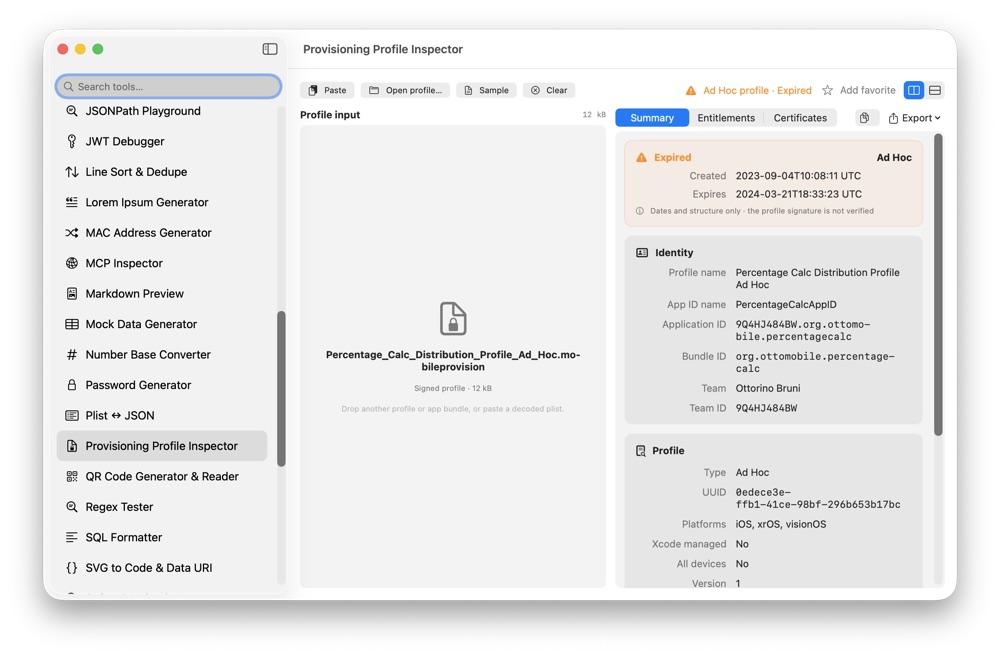
A provisioning profile tells you exactly what an app can be signed for. CodeSwissKnife opens profiles and app bundles locally, so you can inspect signing details without uploading build artifacts.
Why inspect provisioning profiles locally?
Provisioning profiles can expose team identifiers, bundle IDs, entitlements, registered devices and certificate metadata. Those are build and signing details you should not need to upload to a web tool.
CodeSwissKnife reads .mobileprovision, .provisionprofile and app bundles on your Mac, keeping the inspection local.
Check team, App ID, entitlements and devices
Use the inspector to confirm the team, application identifier, profile type, capabilities and provisioned devices before a build reaches TestFlight, QA or a customer machine.
The entitlement list is useful when a build behaves differently from Xcode settings: you can compare what was requested with what the signed profile actually contains.
Catch certificate expiry problems early
A profile can outlive one of its embedded signing certificates. CodeSwissKnife warns when a certificate expires before the profile itself, which is the kind of signing problem that is easy to miss until distribution fails.
Understand whether a profile is App Store-ready
The inspector highlights when a profile cannot be submitted to the App Store, so you can separate local development, ad hoc, enterprise and distribution profiles before packaging the wrong build.
Inspect provisioning profiles offline on macOS
Download CodeSwissKnife to inspect signing profiles alongside JSON, certificates, JWTs and the rest of your local developer tools.