Password Generator
How to Generate Passwords Locally on your Mac
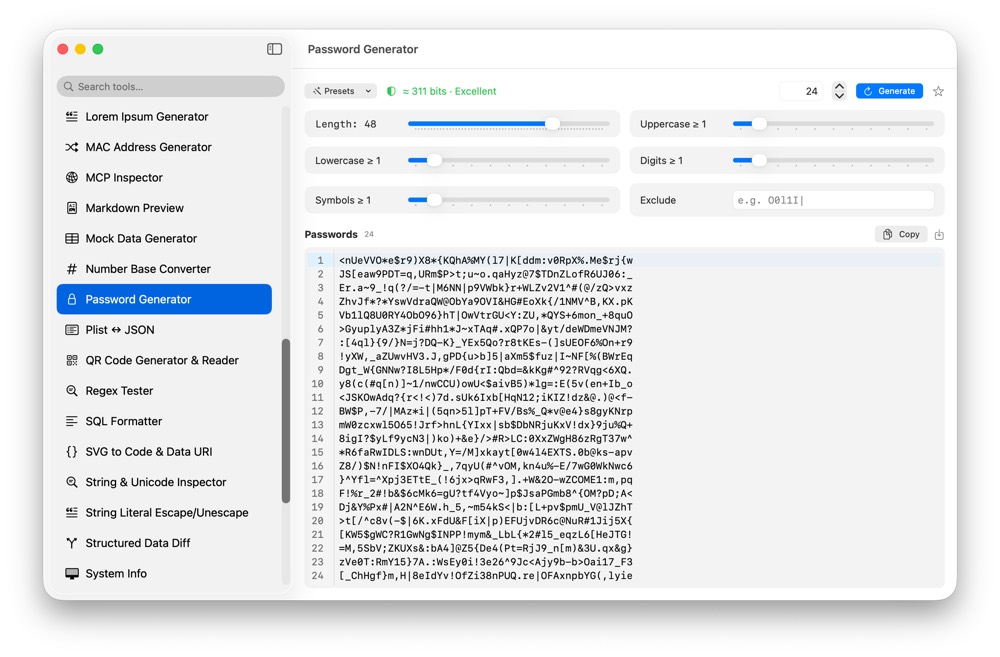
Temporary secrets, test passwords and PINs should not be generated on random web pages. CodeSwissKnife creates passwords locally with adjustable rules and entropy feedback.
Why generate passwords locally?
A password generator should not need a network connection. Local generation keeps candidate secrets on your Mac.
Control character rules
Adjust length, character classes, minimums and exclusions. Use tested presets for common cases such as PIN-style output.
Check strength as you generate
Entropy feedback helps you see whether an output fits the intended use before copying it into a test environment or account setup.
Use Password Generator offline on macOS
Download CodeSwissKnife to keep this generator and the rest of your developer workflow tools local on your Mac.