String Literal Escape/Unescape
How to Escape and Unescape String Literals Locally on your Mac
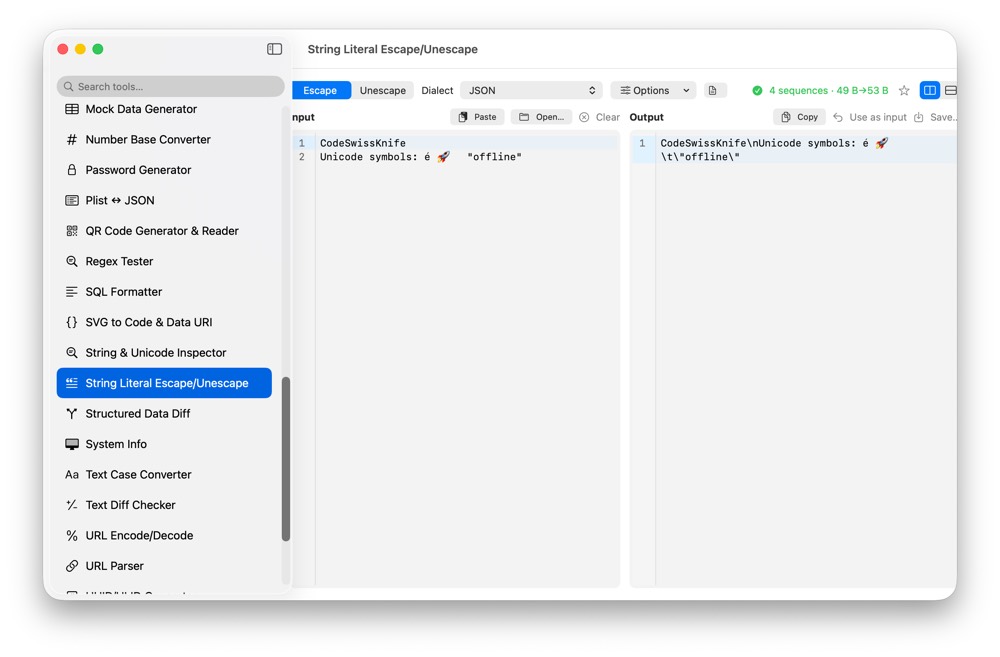
String literals move between code, JSON, logs and tests. CodeSwissKnife escapes and unescapes strings locally so snippets can be prepared for common programming languages without leaking content.
Why escape strings locally?
Strings can contain private logs, user text, tokens or internal paths. Local escaping keeps the raw content in your workspace.
Prepare strings for code
Escape and unescape strings for common programming language contexts, making copied values easier to use in tests, fixtures and examples.
Use with encoders and formatters
Use String Literal Escape/Unescape beside JSON Format/Validate, HTML Entity Encode/Decode and URL Encode/Decode when text crosses syntax boundaries.
Use String Literal Escape/Unescape offline on macOS
Download CodeSwissKnife to keep this encoder or decoder and the rest of your developer workflow tools local on your Mac.