How to Decode, Verify and Sign JWTs Locally on your Mac
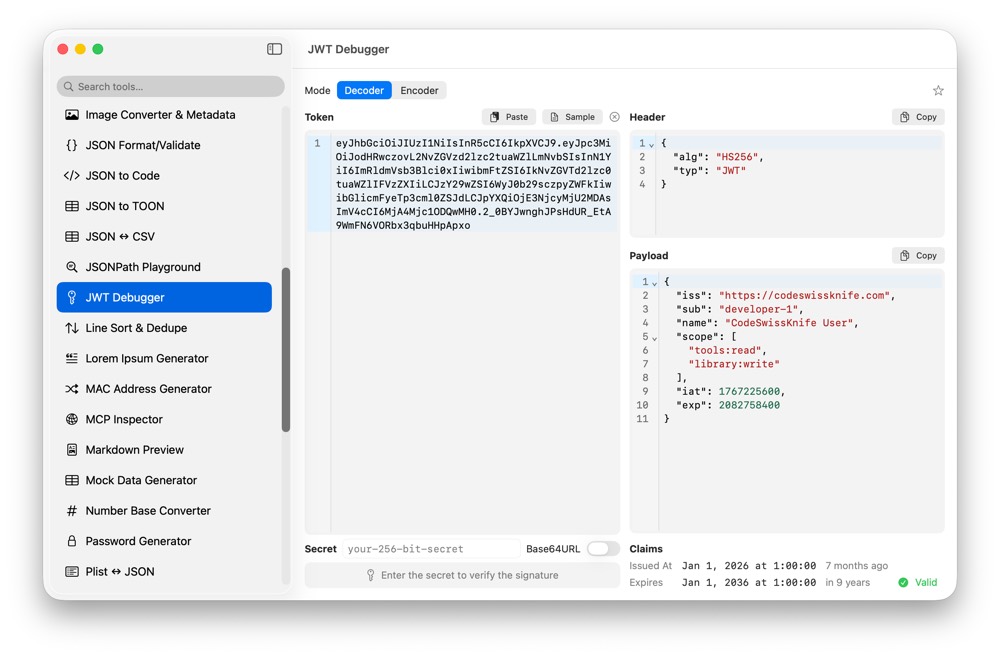
JWTs often carry production claims, user identifiers, scopes and expiry data. CodeSwissKnife decodes, inspects, verifies and signs JSON Web Tokens locally, without uploading them to a web debugger.
Why debug JWTs locally?
A JWT is not safe just because it is Base64URL text. It can contain user ids, roles, tenant ids and application-specific claims. Local debugging keeps those tokens on your Mac.
Decode, verify and sign
Inspect header and payload JSON, verify signatures and sign tokens with offline HMAC workflows for HS256, HS384 and HS512.
Use JWT debugging with API tools
Pair JWT Debugger with HTTP Client, Base64 String Encode/Decode and Unix Time Converter when checking authorization headers and issued or expiry times.
Use JWT Debugger offline on macOS
Download CodeSwissKnife to keep this inspector or debugger and the rest of your developer workflow tools local on your Mac.