How to Convert Unix Time Locally on your Mac
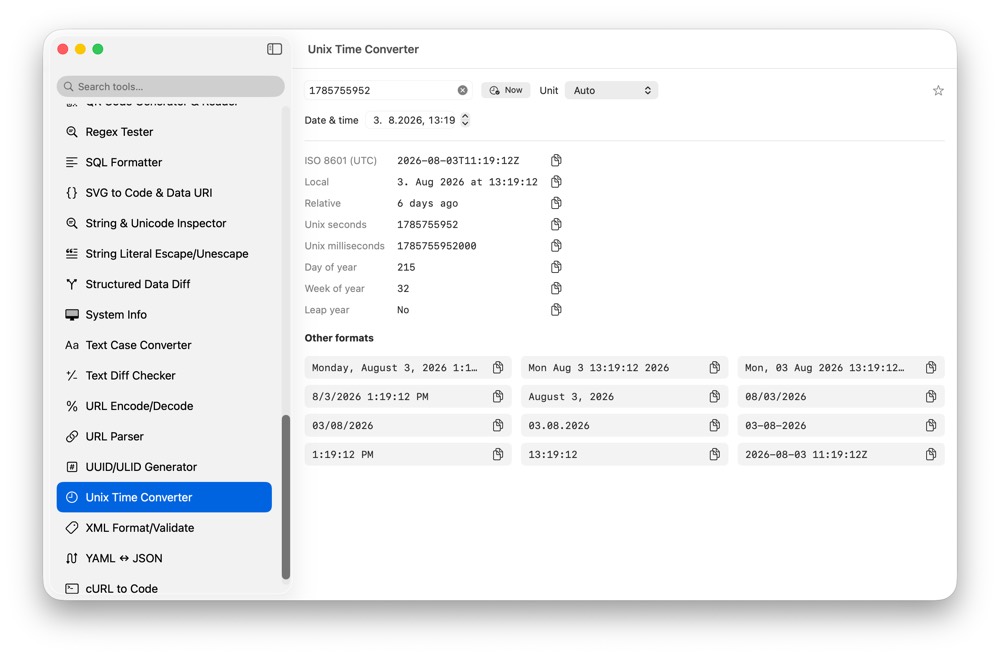
Timestamps show up in logs, JWT claims, database rows, API payloads and analytics events. CodeSwissKnife converts Unix time locally with local time, UTC and other common formats visible together.
Why convert timestamps locally?
A timestamp can be tied to private logs, incidents, sessions or customer events. Local conversion lets you inspect time values without pasting them into a website.
Convert in both directions
Use Unix time input when you have an epoch value, or use the date picker and formatted values when you need to move from human time back to a timestamp.
Use it with debugging tools
Pair Unix Time Converter with JWT Debugger, HTTP Client, JSON Format/Validate and log snippets when debugging expiry, issued-at values and event times.
Use Unix Time Converter offline on macOS
Download CodeSwissKnife to keep this converter and the rest of your developer workflow tools local on your Mac.