How to convert TOML and JSON locally on your Mac
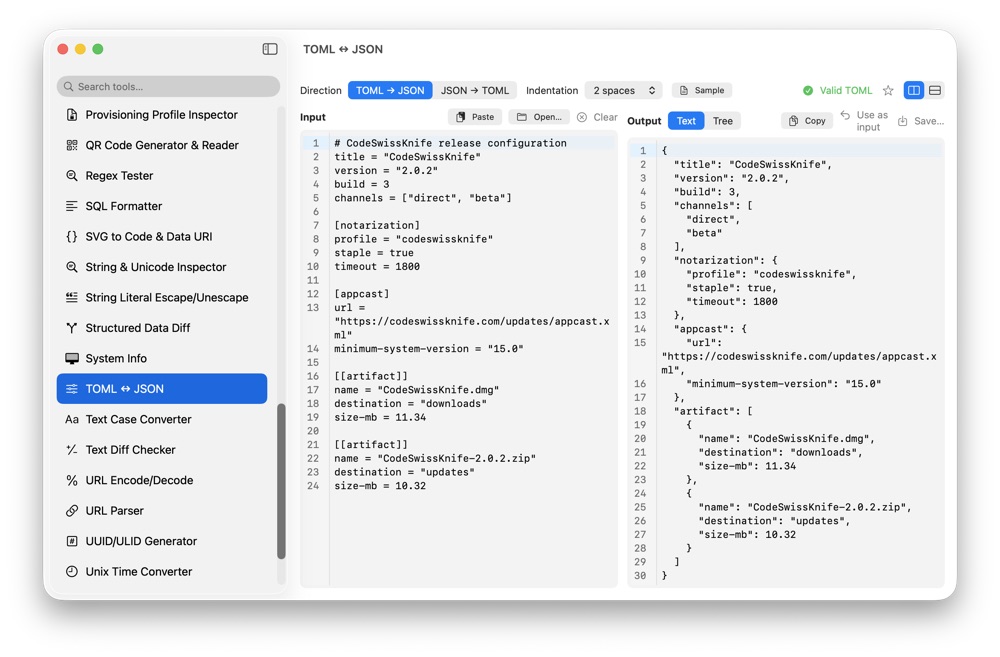
TOML is common in Rust, Python and deployment configuration. CodeSwissKnife converts TOML to JSON and JSON back to TOML locally, with warnings when one format cannot represent a value from the other.
Why convert TOML and JSON locally?
Configuration files can contain package metadata, internal endpoints, environment names and deployment settings. Local conversion keeps files such as pyproject.toml, Cargo.toml and service config on your Mac.
Convert TOML to JSON for tooling
TOML is readable for humans, but many scripts, tests and API tools expect JSON. CodeSwissKnife converts TOML tables, arrays of tables, inline tables and multi-line strings into formatted JSON output.
Use the JSON output with validators, fixtures, tests or other CodeSwissKnife tools such as JSON Schema Generator & Validator.
Convert JSON back to TOML for configuration
When a JSON object represents configuration, converting it to TOML can make it easier to review and edit. CodeSwissKnife reports duplicate keys and invalid values instead of producing a file that looks valid but changes meaning.
Understand values one format cannot express
TOML has values JSON does not, and JSON has null, which TOML cannot express. CodeSwissKnife names those differences with warnings so values are not silently dropped.
The converter also tightens parsing around invalid number underscores, non-ASCII bare keys, impossible date/time values and duplicate JSON keys when converting to TOML.
Use an offline TOML to JSON converter for macOS
Download CodeSwissKnife to convert TOML, JSON, YAML, CSV and property lists locally in one native Mac toolbox.