How to Convert Images and Inspect Metadata Locally on your Mac
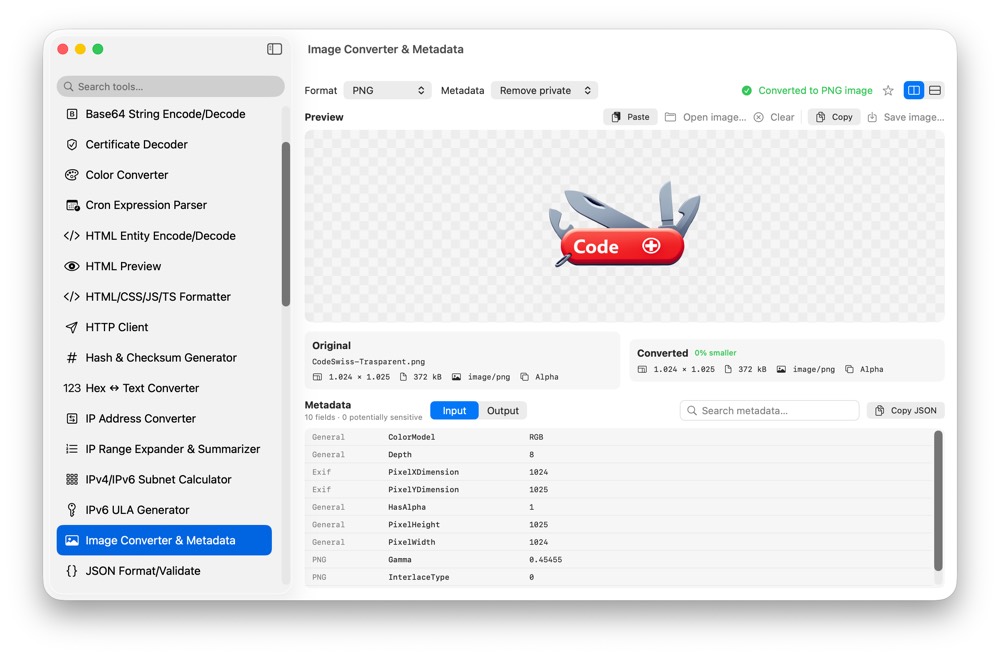
Images can contain private screenshots, product assets, EXIF metadata and customer-facing content. CodeSwissKnife converts images and inspects metadata locally on your Mac.
Why convert images locally?
A screenshot or asset can reveal unreleased UI, file paths, locations or customer data. Local conversion avoids uploading images just to change format or inspect metadata.
Use native image formats
The tool uses native Image I/O formats discovered on macOS, with one preview and an on-demand original versus converted comparison.
Inspect metadata before sharing
Review metadata locally before attaching an image to a ticket, document or release asset. Pair it with Base64 Image Encode/Decode when an image needs to become text.
Use Image Converter and Metadata offline on macOS
Download CodeSwissKnife to keep this converter and the rest of your developer workflow tools local on your Mac.