Color Converter
How to Convert Colors Locally on your Mac
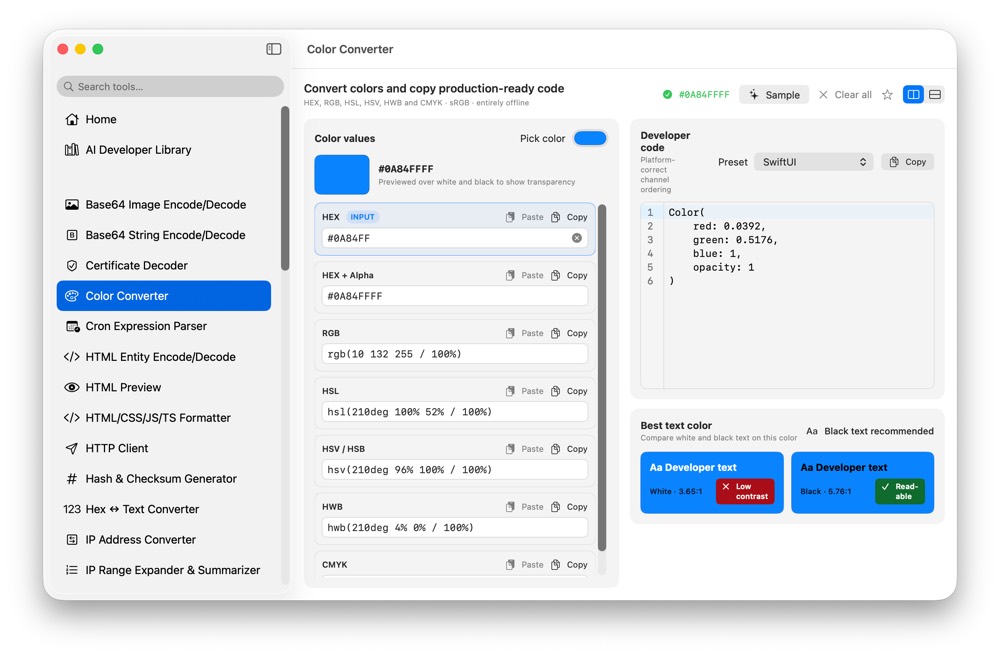
Colors move between CSS, design specs, native UI code and documentation. CodeSwissKnife converts color values locally so you can translate formats without opening a web converter.
Why convert colors locally?
Brand palettes and unreleased UI work can be private before launch. A local color converter keeps those values in your workspace.
Convert developer color formats
Translate colors between HEX, RGB, HSL and developer-friendly representations for frontend and native app workflows.
Use color conversion beside UI tools
Use Color Converter when moving values from screenshots, CSS, design notes or native code. Pair it with SVG to Code when preparing small assets for UI implementation.
Use Color Converter offline on macOS
Download CodeSwissKnife to keep this converter and the rest of your developer workflow tools local on your Mac.